Introduction
Graphic novels are a fun and engaging way to tell stories. Whether you are a teacher, parent, or indie author, you can create your own graphic novel quickly and easily with Mixam’s high-quality printing service and useful tools. This guide covers essential design and printing steps, offering practical tips and ideas to engage readers.
What is a graphic novel?
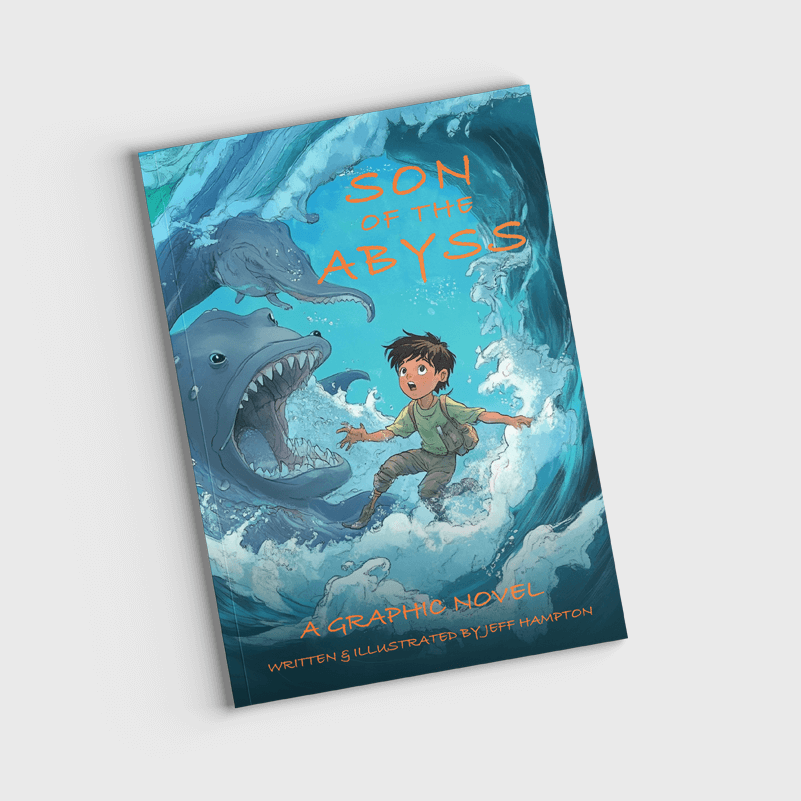
Graphic novels combine sequential art with a story. Sequential art uses panels to lead readers through the narrative, blending text and images to show action, emotion, and dialogue. Popular graphic novel genres include adventure, fantasy, comedy, mystery, and educational.
Graphic Novel vs Comic Book
Graphic novels differ from comic books mainly in length and story structure. Comics often feature short, episodic stories, while graphic novels tell longer, self-contained narratives. However, both formats give creators flexibility to control pacing, layout, and themes.
Design Tools for Graphic Novel Printing
The tools you use to create your graphic novel affect many aspects of the creation process, from the workflow, the professionalism of your final product and the overall style. Mixam provides free tools and features to help simplify the printing process and ensure your graphic novel is production-ready.
Mixam provides free tools and features to help simplify the printing process and ensure your graphic novel is production-ready.
Graphic Novel Template
Get started quickly with a free graphic novel template to help set up your pages and prepare your artwork for full bleed printing. Choose your size and other specifications in the Instant Quote Calculator, download the template, and use it as a helpful guide in your design software. When your pages are ready, just remove the template before exporting your final PDF.
Additional Tools
- Design Online Tool: With our Design Online tool, you can create covers and page layouts for free, even if you’re new to design. You can upload files by dragging and dropping them, add your own text, and preview layouts.
- AI Image Enhancer: For low-resolution artwork, you can use Mixam’s AI Image Enhancer to increase pixel density and sharpness. Ensure you save all files as PDFs at 300 dpi to preserve fonts, images, and layout.

Design Software for Graphic Novels
ou can make a graphic novel with hand-drawn illustrations by scanning or photographing your artwork and editing it digitally. However, both free and paid tools are available, making it easy for beginners or budget-conscious creators to get started, while paid options offer advanced drawing features.
Free Design Tools
- Krita: A free, open-source drawing program with strong brush tools, layers, and templates. It’s suitable for digital art and painted styles.
- MediBang Paint: A lightweight app designed for comics. It includes panel tools, cloud storage, and a library of free brushes and fonts. It’s available for desktop and mobile.
- GIMP: A free image editor that works for scanning, cleaning, and adjusting artwork. It’s useful when you need to prepare hand-drawn illustrations for print.
Paid Design Tools
- Clip Studio Paint: Designed for comics and sequential art. It includes built-in panel tools, speech bubbles, brushes, and 3D posing models. Many artists choose it for its natural drawing feel and strong linework controls.
- Procreate: An iPad app that makes drawing simple and fast. It supports layers, animation tools, and custom brushes, making it ideal for creators who want a portable setup.
- Adobe Illustrator: A vector-based tool that keeps artwork sharp at any size. It works well for clean line art, logos, and stylised graphics that need scalability.
Formatting Pages for Print
Proper formatting ensures your graphic novel looks professional and reads well.
Panel Grids & Gutters
Panels are the building blocks of a graphic novel, and their size, shape, and arrangement can guide how readers experience your story. You can vary panel sizes to emphasise action, highlight important moments, or create a specific mood.
Gutters—the spaces between panels—are important for clarity, preventing layouts from feeling crowded and giving the eye room to move naturally across the page. For key scenes, consider using full-page spreads to create impact and draw attention. Planning your panel grids carefully will make your story easier to read while adding visual rhythm and energy.
What size should a graphic novel be?
Graphic novels are often printed in A5 or A4. A5 is small, lightweight, and suits simple layouts or stories with more text. This size suits simple layouts or stories with more text. A4 offers a larger space for wide panels and detail-rich artwork. It stores easily on shelves and works well for classroom reading corners. Pick the size that supports your story, and your overall budget.
Top Tips for Creating Graphic Novels
When designing graphic novels, clarity, simplicity, and durability are key. Consider these features to make your book engaging and accessible:
- Simplified Layouts: Keep panel sequences clear and easy to follow. Simple grids and consistent panel spacing help guide readers through the story. Avoid overly cluttered pages, and use full-page spreads sparingly for key scenes to maintain focus.
- Larger Type & High Contrast: Use legible fonts and slightly larger text for dialogue and narration. Pair text with high-contrast backgrounds to make reading easier and reduce eye strain to help readers of all ages.
- Kid-Friendly Design Choices: Bright colours, bold illustrations, and clear visual cues help hold attention and reinforce storytelling. Keep layouts flexible but predictable, so young readers can anticipate how the story flows.
Mixam’s Graphic Novel Printing Options
Paper Stocks
- Silk: Silk paper is a smooth, coated stock with a subtle sheen, ideal for graphic novels that combine text and illustrations. It enhances readability, making it ideal for illustrations with text-heavy pages. The slight shine keeps colours vibrant while ensuring that dialogue and narration are legible.
- Gloss: Gloss paper has a high-shine finish that makes colours pop. This option works well for graphic-heavy publications and adds strong colour contrast to make artwork feel dynamic and engaging for readers.
- Uncoated: Uncoated paper has a soft, natural texture with no coating. It gives printed colours a slightly muted appearance and provides a tactile feel.
- Recycled: Recycled paper is an eco-friendly option for graphic novels with a soft, organic look. It has high opacity and a crisp white hue, making it suitable for sustainable printing without compromising quality. It works well for natural or hand-drawn art styles.
Binding Options
- Hardcover: Hardcover graphic novels include pages joined with strong adhesive and glued to a rigid outer cover. This creates durable, long-lasting books that can withstand frequent handling.
- Paperback: Paperback graphic novels use perfect binding, where pages are glued along the spine and attached to a slightly thicker cardstock cover, creating a neat, rectangular spine. Paperback binding is cost-effective, works well for high page counts, and is suitable for everyday use.
- Saddle-Stitch: Saddle-stitch binding fastens printed pages with staples through the centrefold. It works best for short stories with fewer pages. This light, affordable option is easy to handle and perfect for projects with continuous illustrations.
- Wiro: Wiro binding secures pages with C-shaped wire loops through punched holes along the edge. It supports small or large page counts and works well for image-heavy content that doesn’t extend across facing pages. Wiro binding also allows pages to lay flat, making it easier for readers to enjoy the illustrations.
Cover Lamination Options
Hardcover and Paperback:
- Matt: Matt lamination gives graphic novels a smooth, glare-free finish for enhanced legibility.
- Gloss: Gloss lamination offers a high-shine finish, helping colourful artwork stand out.
Paperback:
- Matt Anti-Scuff: Matt Anti-Scuff has the same smooth, glare-free finish as matt but includes an extra protective layer, helping to minimise scratches and wear.
- Soft-Touch: Soft-Touch lamination gives graphic novel covers a velvety, matt feel, providing a high-end look.
- UV Matt: UV Matt lamination adds a thin liquid coating to covers that’s cured with ultraviolet light, providing a protective, glare-free finish and eye-catching colours.
- UV Gloss: UV Gloss lamination adds a high-shine, durable coating to covers. This finish makes colours deeper and illustrations more vibrant.
How to Print Your Graphic Novel with Mixam
Printing graphic novels with Mixam is fast, simple, and affordable. Our platform guides you from your first idea to a finished print, with intuitive tools, helpful resources, and reliable support.
- Choose Your Product: Visit Mixam’s graphic novel printing page and choose your specifications, including size, page count, paper type, binding, and cover finish.
- Get an Instant Quote: The Instant Quote Calculator updates pricing and turnaround times. Add your quote to the cart and review the summary.
- Go to the Order Manager: Click ‘Continue’ to open the order manager.
- Upload Your Files: Drag and drop files, use cloud storage, or paste a URL. Upload interior pages as a single PDF or individual files. Make sure your cover file includes the front, back, and spine (if your graphic novel has one). On-screen alerts will flag potential issues, such as missing fonts, low-resolution images, or other problems that could affect your prints.
- Review Your Proof: Download your proof to check margins, alignment, and page order. If anything needs adjusting, simply update your files and re-upload.
- Confirm Your Order: After you have entered your delivery and payment details, confirm your order. Before your order goes to production, a print expert will review your graphic novel to ensure everything is ready for printing.
- Track Your Order: You can track your order in your Mixam account and receive email updates to stay informed on progress.
Start Designing Your Graphic Novel Today
Creating graphic novels is simple with Mixam. Professional printing, clear pricing and flexible options make it easy to make your ideas a reality. You can now start planning your layout, choosing your specifications, and getting your files ready for print.
Visit Mixam’s graphic novel printing page to start your project. You can also read our free Book Printing Guide for details on print production and the PrintLink Guide to launch your own print-on-demand graphic novel.